Learn Smarter.Build Better Skills.
AI SKILLHUB LMS brings courses, learning management, assessments, AI assistance, skill development, learner engagement and institutional administration together in one intelligent learning platform.
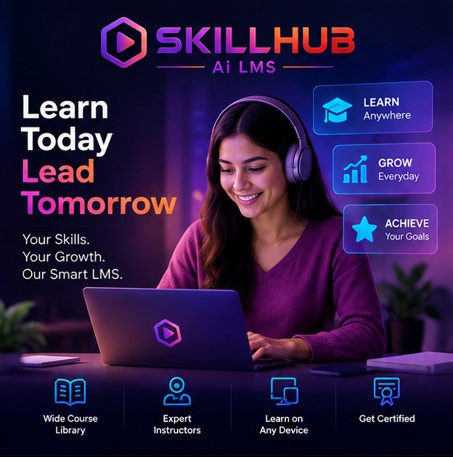
Wide Course Library
Expert Instructors
Learn on Any Device
Get Certified
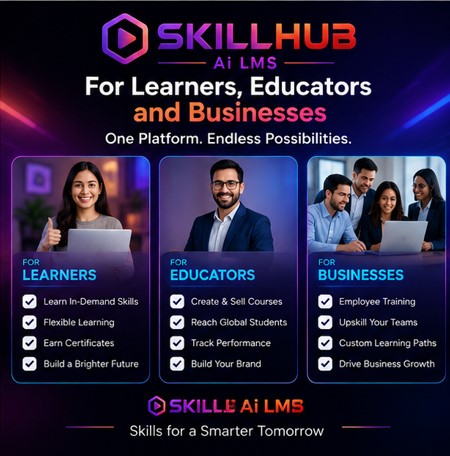
For Learners, Educators and Businesses
One Platform. Endless Possibilities.

LEARNERS

EDUCATORS

BUSINESSES
Skills for a Smarter Tomorrow
More Than an LMS. A Smarter Learning Ecosystem.
AI SKILLHUB LMS combines learning management with artificial intelligence to help organizations create, deliver, manage and improve modern learning experiences.
From course creation and learner management to assessments, certificates, AI assistance and performance tracking, everything can be managed through one centralized platform.
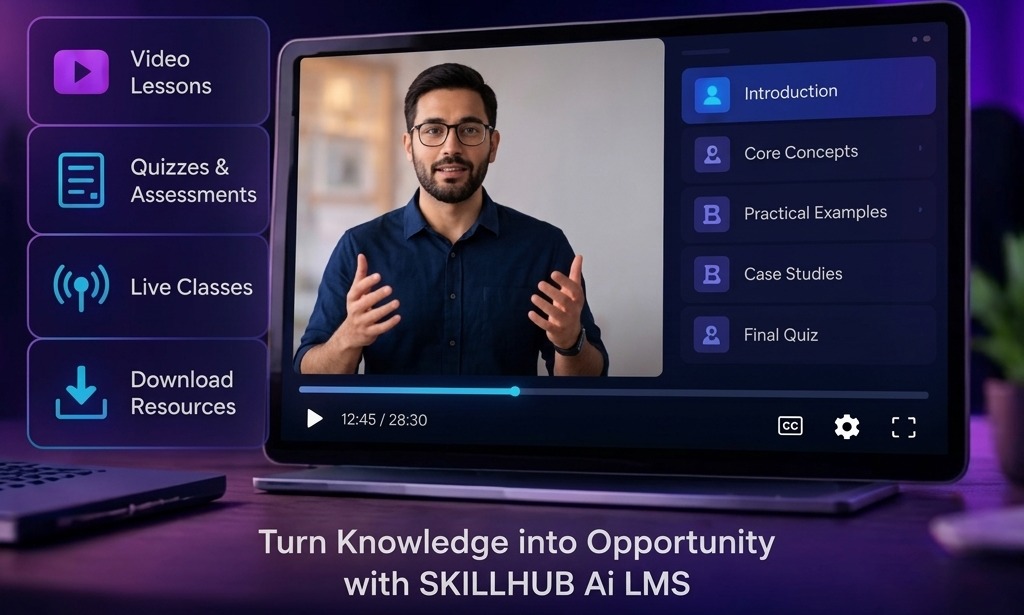
Turn Learning Into a Continuous Skill Journey.
Learning should not end when a course is completed.
AI SKILLHUB LMS is designed to help learners move through a continuous journey:
One Learning Platform. Every Stage of Development.
DISCOVER
Find courses, programs and skills relevant to your goals.
LEARN
Access structured lessons, multimedia content and learning resources.
PRACTICE
Apply knowledge through exercises, activities and practical learning.
ASSESS
Measure understanding through quizzes, tests and evaluations.
IMPROVE
Identify learning gaps and continue developing weaker areas.
MASTER
Build demonstrable skills and track learning achievements.
Everything You Need to Manage Modern Learning.
Intelligent Learning
Use AI-powered capabilities to enhance learning experiences.
Complete Course Management
Create, organize, publish and manage structured learning programs.
Learner Management
Manage students, instructors, groups, enrollments and learning activity.
Assessments
Create quizzes, tests and evaluations to measure learner progress.
Skill Development
Organize learning around skills, competencies and measurable progress.
AI Assistance
Provide learners and instructors with intelligent assistance throughout the learning journey.
Learning Analytics
Track participation, completion, performance and learner progress.
Certifications
Recognize completed learning with digital certificates and achievements.
Put Artificial Intelligence Inside the Learning Experience.
AI SKILLHUB LMS is designed to use AI where it can add practical value to learning, teaching and administration.
AI can assist with:
Learning Support
Content Assistance
Question Generation
Summarization
Knowledge Exploration
Assessment Assistance
Personalized Guidance
Course Development
Learning Recommendations
Your Intelligent Learning Companion.
Give learners an AI-powered assistant that can help them understand learning material, explore concepts and get guidance during their learning journey.
AI Learning Assistant
Available inside every lessonLearners Can Use AI For
Ask Questions
Understand Concepts
Summarize Lessons
Explore Topics
Clarify Difficult Subjects
Generate Practice Questions
Review Learning Material
Prepare for Assessments
Build Courses Faster With AI.
Course creators and instructors can use artificial intelligence to accelerate the preparation of learning material.
Create Learning Experiences That Stay Organized.
Manage:
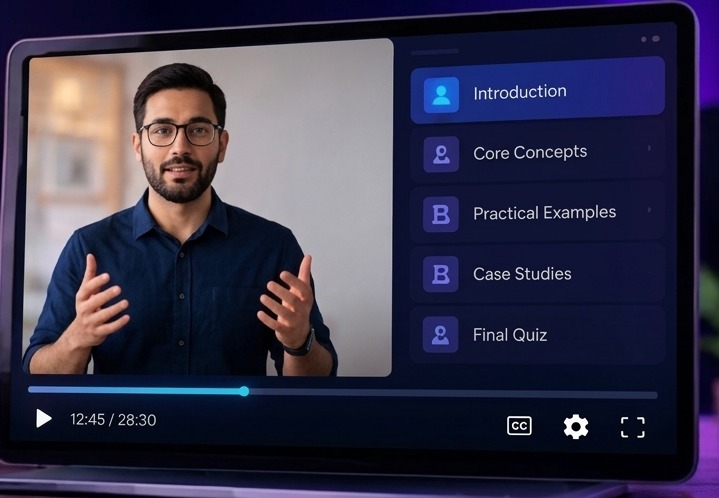
Courses
Categories
Lessons
Topics
Modules
Learning Resources
Assignments
Quizzes
Tests
Learning Paths
Certificates
Learning Beyond Text.
Support engaging learning experiences using:
Video
Audio
Images
Presentations
Documents
Interactive Content
Text Lessons
External Resources
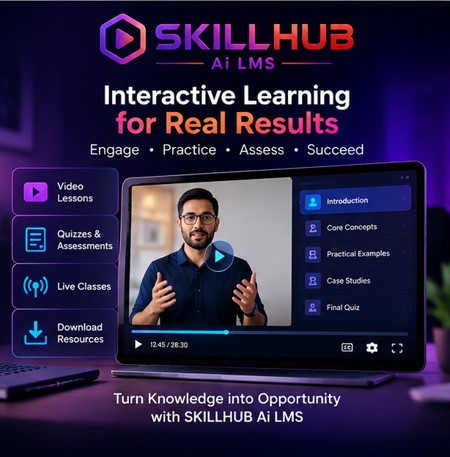
Interactive Learning for Real Results
Video Lessons
Quizzes & Assessments
Live Classes
Download Resources
Turn Knowledge into Opportunity with SKILLHUB Ai LMS
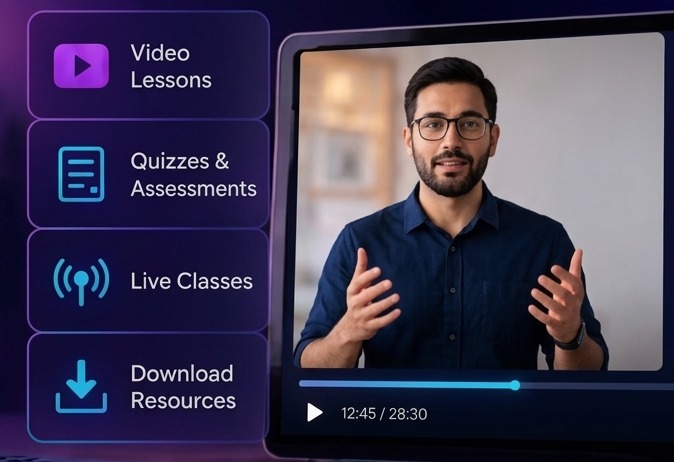
Turn Individual Courses Into Skill Journeys.
Create structured learning paths that guide learners through multiple courses and stages.
BEGINNER
INTERMEDIATE
ADVANCED
PRACTICAL PROJECT
ASSESSMENT
CERTIFICATION
Learn Skills. Measure Progress. Build Capability.
AI SKILLHUB LMS can organize learning around specific skills and competencies.
Measure What Learners Actually Understand.
Create assessments using different evaluation formats.
Quizzes
Tests
Practice Questions
Assignments
Knowledge Checks
Skill Assessments
Final Assessments
Create Questions With Intelligent Assistance.
Use AI to assist instructors in developing:
Multiple Choice Questions
True / False Questions
Short Answer Questions
Practice Questions
Topic-Based Assessments
Revision Questions
Question Banks
Everything a Learner Needs. One Place.
The learner dashboard can provide access to:
Welcome Back!
Learner DashboardMy Courses
Learning Progress
Upcoming Assessments
Completed Courses
Certificates
Achievements
Learning Activity
Skill Progress
AI Learning Assistant
Everything Instructors Need to Teach Effectively.
Manage:
Courses
Lessons
Students
Assignments
Quizzes
Questions
Learning Material
Assessments
Course Progress
Performance
Complete Control From One Central Dashboard.
Administrators can manage:
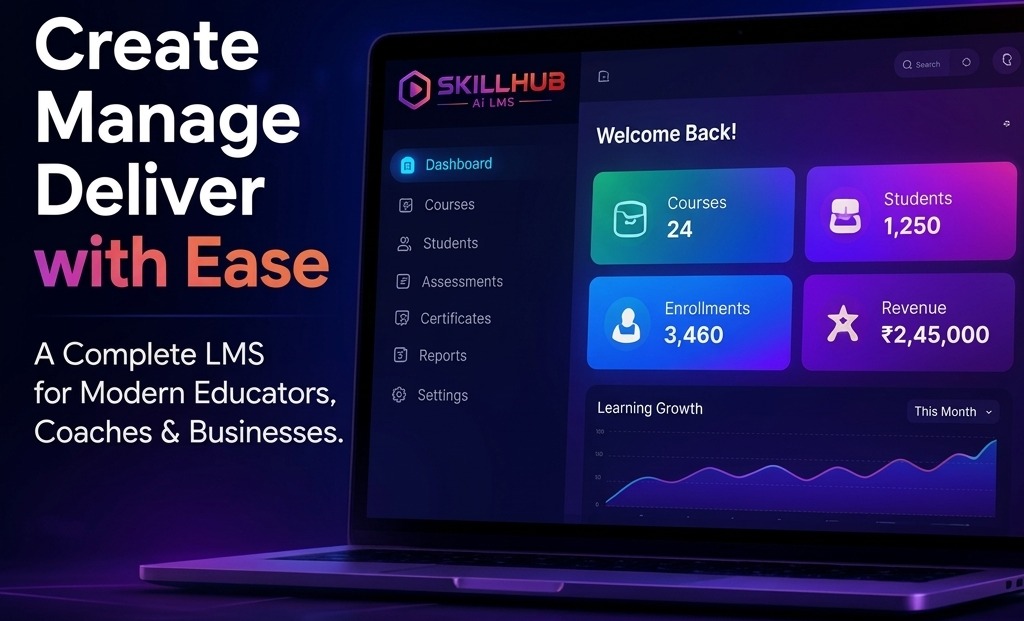
Create Manage Deliver with Ease
A Complete LMS for Modern Educators, Coaches & Businesses.
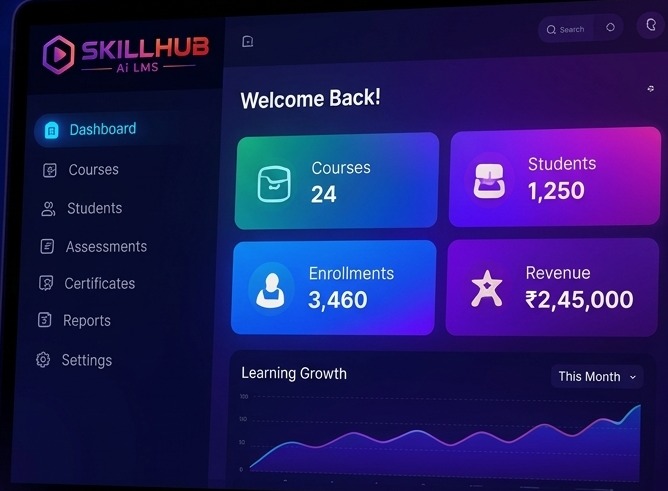
Welcome Back!
This MonthUsers
Learners
Instructors
Courses
Categories
Enrollments
Payments
Subscriptions
Certificates
Reports
Platform Settings
Easy Course Creation
Student Management
Real-time Analytics
Scalable & Secure
Know Your Learners. Support Their Progress.
Manage learner information including:
Profiles
Enrollments
Course Activity
Progress
Assessment Results
Certificates
Achievements
Learning History
Skill Development
Give Educators the Tools They Need.
Manage instructor:
Profiles
Courses
Assignments
Students
Learning Material
Assessments
Performance
Teaching Activity
Learning Management for Organizations.
AI SKILLHUB LMS can support organizations that need to train:
Employees
Teams
Departments
Partners
Customers
Members
Build a Smarter Workforce.
Organizations can use the platform for:
Employee Training
Onboarding
Compliance Learning
Product Training
Professional Development
Technical Training
Leadership Development
Internal Knowledge Sharing
Organize Learners Into Structured Groups.
Create groups based on:
Make Course Access Simple.
Support structured enrollment workflows for:
Individual Learners
Groups
Organizations
Paid Courses
Free Courses
Learning Programs
Training Batches
Turn Learning Achievements Into Recognition.
Create digital certificates for completed learning programs.
AI SKILLHUB LMS
This certificate recognizes the successful completion of a learning program, meeting all configured requirements and passing the final assessment.
Complete Course
Meet Requirements
Pass Assessment
Earn Certificate
Make Learning More Engaging.
Encourage participation through:
Points
Badges
Achievements
Progress Levels
Completion Milestones
Leaderboards
Learning Streaks
Create Friendly Learning Competition.
Track and display achievements based on supported metrics such as:
Leaderboard
This MonthCourse Completion
Assessment Performance
Points
Achievements
Learning Activity
Turn Learning Activity Into Useful Insight.
Track:
Enrollment
Course Completion
Lesson Progress
Assessment Results
Learner Activity
Course Performance
Instructor Activity
Certificate Achievement
See What Is Happening Across Your Learning Platform.
Generate reports covering:
Learners
Courses
Enrollments
Assessments
Completion
Certificates
Revenue
Instructor Activity
Learning Performance
Create Your Own Learning Marketplace.
For applicable business models, allow learners to discover courses by:
Turn Knowledge Into a Digital Learning Business.
Create and sell:
Individual Courses
Course Bundles
Learning Programs
Memberships
Training Packages
Build Recurring Learning Programs.
Create subscription-based access to:
Course Libraries
Learning Paths
Premium Content
Training Programs
Skill Development Resources
Manage Paid Learning From One Platform.
Support your applicable payment infrastructure for:
Course Purchases
Subscriptions
Memberships
Learning Packages
Training Programs
Transaction Records
Payment History
Order Management
Billing Administration
Transform Learning Material Into an Intelligent Knowledge Resource.
Bring together:
Courses
Documents
Learning Resources
Lessons
Reference Material
Knowledge Content
Create Better Learning Material With AI Assistance.
Assist instructors with:
Lesson Drafting
Topic Explanations
Course Descriptions
Learning Summaries
Study Material
Practice Questions
Assessment Content
Learning Activities
Give Learners a More Relevant Learning Journey.
Use learning information and supported AI capabilities to help identify:
Learning Progress
Areas Requiring Attention
Recommended Content
Practice Opportunities
Next Learning Steps
Learn Wherever Your Day Takes You.
Design the learner experience for modern devices.
Desktop
Laptop
Tablet
Mobile
Make Knowledge More Accessible.
Support learning experiences across multiple languages where configured.
Keep Learners, Instructors and Administrators Connected.
Support communication through applicable channels:
Notifications
Platform Messages
Course Announcements
Learning Reminders
Assessment Notifications
Completion Notifications
Keep Learning Moving Forward.
Provide timely notifications for:
Help Learners Stay on Track.
Use reminders for:
Incomplete Lessons
Pending Assessments
Upcoming Deadlines
Learning Goals
Course Completion
The Complete Learning Journey.
Find the right course or skill.
Join a course or learning program.
Study lessons and learning resources.
Apply knowledge through activities and exercises.
Measure understanding through assessments.
Identify areas requiring further development.
Complete learning requirements and earn recognition.
Continue toward the next skill or learning level.
Built for Every Modern Learning Environment.
Training Institutes
Create and manage structured online learning programs.
Schools
Deliver organized digital learning experiences.
Colleges & Universities
Support courses, learners, assessments and academic programs.
Corporate Training Teams
Train employees and track organizational learning.
Coaching Institutes
Manage students, courses, assessments and learning progress.
Professional Trainers
Create and monetize knowledge-based learning programs.
Independent Educators
Build and sell digital courses.
Businesses
Train employees, customers and business partners.
Enterprises
Manage large-scale organizational learning environments.
Traditional Learning Management Can Become Fragmented.
Bring Learning Management Together.
See AI SKILLHUB LMS in Action.
Create Course
Add Lessons
Enroll Learners
Learner Studies
AI Assistance
Assessment
Progress Tracking
Certificate
Designed Around the Complete Learning Lifecycle.
Explore the AI SKILLHUB LMS Capabilities.
LEARNING
AI
ASSESSMENT
MANAGEMENT
BUSINESS
ENGAGEMENT
ANALYTICS
RECOGNITION
Find the Capability You Need.
Courses
Lessons
Learning Paths
Learning Resources
Skill Development
AI Learning Assistant
AI Content Assistance
AI Question Generation
AI Summarization
AI Learning Support
Quizzes
Tests
Assignments
Question Banks
Evaluations
Learners
Instructors
Groups
Enrollments
Organizations
Payments
Subscriptions
Course Marketplace
Orders
Revenue
Badges
Achievements
Points
Leaderboards
Notifications
Progress
Completion
Performance
Learning Activity
Reports
Certificates
Achievements
Completion Records
Skill Recognition
Powerful for Administrators. Simple for Learners.
Learner Experience
Discover → Learn → Practice → Assess → Achieve
Instructor Experience
Create → Teach → Assess → Monitor → Improve
Administrator Experience
Configure → Manage → Monitor → Analyze → Grow
One Platform for the Complete Learning Ecosystem.
LEARN
Deliver structured digital learning.
TEACH
Give instructors powerful course-management tools.
ASSESS
Measure learner understanding and progress.
DEVELOP
Build skills through structured learning journeys.
MANAGE
Control learners, instructors, courses and organizations.
MONITOR
Understand learning activity and performance.
RECOGNIZE
Reward achievements with certificates and milestones.
GROW
Build scalable digital learning programs.
Choose the Learning Environment You Need.
PROFESSIONAL
For professional instructors and training providers.
CHOOSE PROFESSIONALBUSINESS
For companies, institutes and growing teams.
CHOOSE BUSINESSENTERPRISE
For larger organizations requiring advanced management and customization.
CONTACT SALESFrequently Asked Questions
What is AI SKILLHUB LMS?
AI SKILLHUB LMS is an AI-powered learning management platform designed to manage courses, learners, instructors, assessments, skills, certificates, learning activities and administrative operations.
Is AI SKILLHUB LMS only for schools?
No. It can be positioned for training institutes, educators, businesses, corporate training teams, organizations and other learning environments.
Can I create and sell courses?
Yes, where the selected configuration supports course monetization, instructors and organizations can create and offer paid learning programs.
Can learners use AI?
Yes. AI SKILLHUB LMS is designed to provide AI-powered learning assistance and other intelligent learning capabilities.
Can instructors create courses?
Yes. Instructors can create, organize and manage learning content according to their assigned permissions.
Can I create quizzes and assessments?
Yes. The platform supports structured assessment capabilities including quizzes, tests, questions and evaluations.
Can I issue certificates?
Yes. Certificates can be provided for learners who satisfy configured course or learning requirements.
Can I track learner progress?
Yes. Learning activity, progress, completion and performance can be monitored through supported dashboards and reports.
Can organizations use AI SKILLHUB LMS for employee training?
Yes. The platform can be used to organize employee training, onboarding, professional development and other organizational learning programs.
Can AI SKILLHUB LMS support multiple languages?
The platform can be configured for multilingual learning and interface requirements where supported.
Build the Future of Learning.
Bring AI, learning management, skill development, assessments and learner engagement together with AI SKILLHUB LMS.
Powered by Artificial Intelligence. Designed for Modern Learning.
Twenty Ways to Say Smarter Learning.
One Platform, Four Lengths.
AI SKILLHUB LMS is an AI-powered learning management platform that combines course creation, learning delivery, assessments, skill development, learner management, AI assistance, analytics and certification within one comprehensive learning ecosystem.
AI SKILLHUB LMS brings AI-powered learning, course management, assessments, skill development and learner administration together in one intelligent platform.
AI-powered learning management for modern skill development.
Learn Smarter. Build Better Skills.
LEARNING MANAGEMENT SYSTEM (LMS) PRODUCTS
Website Content Material Based on Current LMS Product Offerings
Prepared as reusable, customer-facing content for an LMS / eLearning product website
Marketplace verification snapshot: 21 September 2026A Content Library, Not a Report.
This document is written as a content library, not as a conventional research report. The language is suitable for adapting into product pages, service pages, category pages, landing pages, feature sections, FAQs, comparison pages, and sales-enablement copy for a website that offers or promotes LMS products. Product-specific statements are based on current LMS marketplace item pages and marketplace metadata checked on 21 September 2026.
Publishing note: Marketplace prices, sales totals, software compatibility, and feature availability can change. Recheck the live item page immediately before publishing any price, version, sales count, license detail, or “latest update” claim.
Important licensing note: Software purchased from a marketplace is licensed under the applicable license terms; the exact rights depend on the product, license type, deployment model, and intended business use. Always verify the current license before redistributing source code, deploying for multiple clients, or creating a hosted service.
Twenty-Two Chapters.
What Is an LMS Product?
A Learning Management System, or LMS, is software designed to organize learning in one digital environment. In practical terms, an LMS connects the people, content, activities, assessments, access rules, communications, and records involved in a learning program. Instead of treating a course website as nothing more than a collection of videos and PDFs, a full LMS creates a structured learning experience in which users can register, enroll, study, complete lessons, take assessments, receive feedback, earn certificates, and return to their learning dashboard later.
An LMS product can be used for many different purposes. An individual instructor may use it to sell a small number of self-paced courses. A training company may use it to run a catalog of professional programs. A coaching business may combine courses with live sessions and one-to-one appointments. A school or institute may combine academic administration with eLearning. A company may use an LMS as an internal training environment for onboarding, compliance, product training, or staff development. A marketplace operator can go a step further and allow multiple instructors to publish and sell their own courses through one platform.
The LMS marketplace reflects this range. Its current searches surface standalone PHP/Laravel learning platforms, CodeIgniter LMS scripts, Node.js and React/Next-based web applications, mobile-connected products, and adjacent school or institute management software. The marketplace therefore does not represent one single “LMS product”; it represents a family of software architectures and business models that happen to solve different parts of the learning-management problem.
An LMS can be presented not only as “online course software,” but as a complete digital learning platform. That broader phrase is useful when the product includes administration, instructor workflows, payments, analytics, communication, certificates, live classes, organization management, or mobile applications.
What an LMS actually manages
Users and accounts
students, instructors, administrators, staff, organizations, and specialized roles.
Courses and curriculum
categories, sections, lessons, prerequisites, content order, previews, and completion rules.
Learning activity
lesson progress, quiz attempts, assignments, attendance, grades, certificates, and learner history.
Commerce
prices, carts, coupons, orders, payments, invoices, subscriptions, bundles, commissions, and payouts.
Communication
announcements, email notifications, private messages, course discussions, forums, reminders, and support tickets.
Operations
dashboards, permissions, reports, settings, localization, integrations, and content administration.
A modern LMS is therefore closer to a specialized business application than to a simple content-management plugin. The strongest current LMS marketplace examples increasingly combine the learning layer with commerce and operational workflows.
Core LMS Capabilities
The heart of an LMS is the learning lifecycle. A typical cycle looks like this: create a course, organize its curriculum, publish it, allow a learner to enroll, deliver the lessons, track activity, evaluate learning, record completion, and provide evidence of achievement. A commercially oriented LMS adds another layer: present the course publicly, take payment, issue an invoice, record the transaction, calculate commissions where applicable, and report the result to administrators or instructors.
Course catalog and discovery
Learners need a way to find courses. Current LMS products commonly provide categories, filters, search, sorting, course detail pages, instructor profiles, reviews, and sometimes comparison or wish-list functionality, along with dedicated course landing pages.
Course player
The course player is the learner-facing environment where lessons are consumed. Strong course players make it easy to move between sections, resume progress, view attachments, complete required lessons, and see course completion status. A good player should also minimize distractions and work well on smaller screens.
Progress tracking
Progress tracking turns passive content consumption into structured learning. An LMS may record lesson completion, quiz attempts, course progress, assignment status, certificates, and enrollment history.
Administration
Administration covers the controls that keep the platform organized: users, roles, courses, settings, payments, reports, categories, content moderation, notifications, email, and integrations. Mature products often provide a dedicated admin dashboard with role-specific permissions rather than exposing every setting to every staff member.
Learning records
A useful LMS creates a history of learning activity. This can include enrollments, course progress, quiz results, grades, attendance, issued certificates, and financial transactions. Learning records are particularly important for training businesses and corporate programs that must demonstrate participation or completion.
Course and Curriculum Management
A course should be more than a title and a video. The curriculum is the structure that tells the learner what to learn, in what order, and with what requirements. Current LMS marketplace products commonly organize courses into categories, sections, lessons, quizzes, assignments, and supporting files. Several offer drag-and-drop curriculum management, which is especially useful for instructors who frequently revise lesson order.
Course creation normally begins with a course overview. The public-facing page can include the course title, description, learning outcomes, prerequisites, instructor information, duration, price, level, reviews, curriculum preview, and enrollment controls. This is both a learning function and a sales function: the same page helps a learner decide whether the program is relevant and helps the platform operator present the commercial offer.
Curriculum organization is equally important for usability. A long course can be divided into logical modules such as “Introduction,” “Core Concepts,” “Practical Exercises,” “Assessment,” and “Final Project.” Each module can contain multiple lesson types. For example, a programming course might combine a video explanation, a text summary, a downloadable reference PDF, a coding assignment, and a quiz.
Useful course-management capabilities include:
Sections and lessons that can be reordered easily.
Draft, review, published, and archived content states.
Lesson previews or free sample content.
Prerequisites and required-lesson rules.
Course access periods, lifetime access options, or time-limited enrollment.
Private or hidden courses for controlled audiences.
Course capacity limits and waitlists for cohort-style programs.
Bundles that combine several courses into one commercial offer.
Drip scheduling for releasing content over days or weeks.
Multiple instructors assigned to the same course where collaborative teaching is required.
“Build courses your way. Organize lessons into clear sections, release content on a schedule, add previews and prerequisites, and give learners a structured path from the first lesson to the final certificate.”
Lessons, Media and Content Delivery
Content delivery is one of the areas where LMS products differ significantly. Basic systems may support text, PDF files, and video. More advanced systems can support YouTube, Vimeo, cloud storage, live classes, SCORM packages, external embeds, audio or documents, and other digital learning resources.
Video hosting deserves special attention. Uploading high-resolution video directly to the same server that hosts the LMS can increase storage and bandwidth requirements. Cloud storage or video-delivery providers can separate the heavy media workload from the application server. Some products also offer content-protection features such as watermarks, protected storage, device limits, or controls intended to reduce unauthorized downloads. These mechanisms should be described accurately: they can raise the cost or difficulty of copying content, but no browser-based video system can guarantee that a determined viewer cannot record what is displayed.
Documents and downloadable files can be used for workbooks, references, templates, worksheets, e-books, course assets, and supporting material. An online PDF viewer can keep learners inside the course interface rather than sending them to a separate browser tab. Some platforms also let instructors sell digital downloads separately from courses.
SCORM is another important distinction. SCORM support is useful when an organization already owns packaged eLearning modules or expects to use authoring tools that export SCORM content. However, “SCORM support” should be verified against the actual version and workflow required by the customer. A product page that lists SCORM as a lesson type does not automatically mean full support for every SCORM feature or every authoring tool.
Student Management and Learner Experience
The student side of an LMS should make learning easy to start, easy to resume, and easy to complete. A typical learner journey begins with account registration, course discovery, enrollment or purchase, and access to a “My Courses” area. The learner then uses the course player, completes lessons and assessments, receives notifications, and eventually retrieves a completion record or certificate.
Current LMS marketplace products often include a student dashboard, course history, progress tracking, profile settings, notifications, messages, wishlists, reviews, invoices, and certificates. Some document a student dashboard, course progress, purchase history, invoices, quizzes, feedback, and a “My Course” page; others additionally provide candidate and student management, notifications, and a finance-aware administration model.
The learner experience is not only a visual issue. It is a workflow issue. A technically powerful LMS can still perform poorly if students cannot tell what to do next. Clear course navigation, obvious completion states, sensible notifications, saved progress, readable mobile layouts, and straightforward checkout can make a large difference to perceived quality.
Features that improve learner usability
Resume learning from the last unfinished lesson.
Show course progress visually with percentages, progress bars, or completed states.
Make the next learning action obvious.
Provide lesson notes, bookmarks, downloads, and personal learning references where supported.
Notify learners about new courses, live sessions, upcoming deadlines, and important announcements.
Provide searchable course catalogs with useful filters instead of forcing visitors to browse long lists.
Allow course reviews and feedback after purchase or completion.
Keep account, purchase history, certificates, and learning records accessible from one dashboard.
Instructor Management and Multi-Instructor Marketplaces
A single-instructor LMS is straightforward: one organization creates the courses and keeps the revenue. A multi-instructor LMS is a marketplace business. It must manage instructor applications, course approval, permissions, commissions, payout requests, course ownership, student access, instructor profiles, and sometimes instructor messaging.
From a business perspective, an instructor marketplace changes the role of the platform owner. The site is no longer only delivering education; it is providing a marketplace infrastructure. That means the platform needs policies for course quality, refunds, moderation, instructor eligibility, payout timing, revenue sharing, content rights, and customer support.
A useful marketplace workflow can look like this:
Instructor registration or application.
Profile and payout information collection.
Approval by an administrator.
Course creation in draft status.
Review or automatic approval according to platform policy.
Course publication.
Student purchase or enrollment.
Commission calculation.
Instructor earnings recorded in the instructor wallet or revenue report.
Payout request and administrator approval.
Payout record retained for financial reporting.
Quizzes, Exams, Assignments and Grade Management
Assessments turn an LMS from a media library into a learning system. A quiz can test knowledge after a lesson or module. An exam can evaluate a larger body of content. An assignment can require written work, a file, a URL, or another deliverable. A gradebook can consolidate the results for the instructor or administrator.
Current LMS marketplace implementations range from basic quizzes to much richer assessment engines. Some document timers, randomized questions, randomized answer ordering, passing grades, and multiple instructors. Other products list quizzes with attempt tracking, assignments with submissions, and a gradebook, or describe reusable question banks, seven question types, timed quizzes, attempt limits, pass marks, automatic scoring, grading queues, and grade release.
A good assessment system can support different question styles because learning goals differ. Multiple choice is useful for rapid knowledge checks, true/false can be appropriate for simple statements, short answer can test recall, essay questions can test explanation and reasoning, file-upload questions can support practical assignments, and matching questions can test relationships between concepts. The right question type depends on the learning objective.
Assessment controls commonly worth highlighting on a website include:
Question banks that can be reused across courses or exams.
Timed quizzes with configurable attempt limits.
Pass marks and completion conditions.
Randomized questions and answer options.
Automatic grading where the question type supports it.
Instructor review for manually graded work.
Assignment submission and feedback workflows.
Grade release controls and learner-visible result history.
Exam products sold separately from courses, where supported by the platform.
Certificates, Badges and Learning Recognition
Certificates are frequently used to turn course completion into a tangible achievement. An LMS certificate can include the learner name, course title, completion date, instructor or organization information, a certificate number, a QR code, a signature, or other dynamic fields. Several current LMS marketplace products include certificate builders or certificate verification workflows.
Badges and reward systems serve a different purpose. A certificate usually represents completion of a defined program, while badges can recognize smaller milestones such as completing a module, maintaining a learning streak, or achieving a particular score.
A certificate system can be described as a “digital credential” only where the implementation actually provides a verifiable credential or certificate record. Avoid implying external accreditation, government recognition, university equivalency, or professional licensing unless that status is independently established.
Live Classes, Meetings and Virtual Teaching
Many LMS products now bridge self-paced learning and live teaching. Live sessions may be used for instructor-led classes, webinars, tutoring, group coaching, office hours, workshops, or cohort sessions. Current LMS marketplace products mention Zoom, Google Meet, in-app calls, Google Calendar, attendance, recordings, reminders, and meeting booking depending on the product.
The important question is not merely whether a product says “live classes.” The useful details are how the feature works. Does the instructor create a session inside the LMS? Is a meeting link generated automatically or entered manually? Is attendance tracked? Can the session be recorded and added back to the curriculum? Are students reminded before the session? Does the platform synchronize the event to a calendar? Can one-to-one sessions and group meetings be sold separately?
Current products variously offer live classes with tutor booking; multiple live-class systems with separate meeting booking; and Zoom and Google Meet integrations with automatic and manual attendance, recordings, and a calendar that merges live sessions with learning deadlines. These examples show that live teaching is increasingly treated as part of the LMS workflow rather than as an isolated video-conference link.
eCommerce and LMS Monetization
When an LMS is used as a business, learning features and commerce features meet on the checkout page. A commercial LMS may need course pricing, discounts, coupons, a shopping cart, checkout, payment gateways, invoices, refunds, order history, taxes, commissions, and payout workflows.
Current LMS marketplace products demonstrate a wide range of monetization models: course purchase, carts, coupons, instructor commissions, and payout requests; numerous payment gateway integrations, subscriptions, bundles, affiliate/referral options, installments, and multi-currency support; Stripe checkout combined with installment plans, orders, payment history, dues, and a finance dashboard; and standalone exams and digital downloads sold alongside courses.
Payment gateway availability is particularly important for international or India-focused businesses. Gateway names on marketplace listings can include Stripe, PayPal, Razorpay, PayU, Paystack, Flutterwave, Cashfree, SSLCommerz, Xendit, and other regional providers. The practical requirement is to verify whether the desired gateway is built into the base product, available as a separate add-on, supported through an included integration, or dependent on custom development.
“Turn learning into a digital business. Sell individual courses, packages, memberships, exams, downloads, coaching sessions, or subscriptions with a checkout experience built around the way your audience buys.”
Memberships, Subscriptions, Bundles and Installments
Course sales are only one monetization model. A platform can also charge for access to a library, sell bundles, offer installment plans, or combine learning with a broader membership. These models are useful where the value of the business lies in the learner relationship over time rather than in one isolated course purchase.
Current products document subscription plans, course bundles, installments and partial payments, payment plans, waitlists, gifts, and other commercial tools. These are strong examples of how an LMS can evolve into a recurring-revenue or package-oriented education business.
Installments require careful operational design. The software may need to record how much has been paid, what remains due, when the next installment is expected, what happens if a payment fails, and whether access is retained or restricted. An LMS can automate part of this workflow, but businesses should still define their refund, cancellation, overdue-payment, and access policies clearly.
Community, Messaging and Engagement
Learning becomes more engaging when learners can ask questions, discuss lessons, receive replies from instructors, and interact with other students. LMS marketplace products increasingly include forums, course discussions, messaging, noticeboards, community areas, and support systems.
Capabilities documented by current products include forums and communities, course forums, instructor chat, noticeboards, messaging, public community forums, internal instructor/student messaging, question-and-answer sections, and comments.
Community features can support three distinct use cases. The first is academic support: students ask questions about a lesson. The second is social learning: learners discuss concepts and share experience. The third is customer retention: a paid course becomes part of an ongoing learning community that gives users a reason to return.
A mature community system should also consider moderation. Reported posts, instructor responses, spam controls, privacy expectations, and role-based access become more important as the platform grows.
Analytics, Reports and Operational Visibility
An LMS creates a large amount of useful data. The purpose of analytics is to turn that data into decisions. An administrator may want to know which courses are selling, which courses have high completion rates, how many learners are active, how much revenue was generated, what instructors earned, how many certificates were issued, and where learners are dropping out.
Current LMS marketplace products document dashboards and reporting at several levels: revenue, courses, lessons, enrollments, payout requests, and course-sale reporting; course statistics and analytics alongside financial and instructor workflows; finance dashboards and notification tracking; and financial reports, report snapshots, course reviews, and operational records.
Website-facing analytics copy should avoid vague promises such as “advanced analytics” unless the product actually provides meaningful data. Better language is specific: “Track enrollments, course progress, quiz results, revenue, instructor earnings, and learner activity from centralized dashboards.”
Roles, Permissions, Security and Access Control
Role-based access control is one of the clearest differences between a simple site and a serious LMS. An administrator should not necessarily have the same access as a teacher, and a teaching assistant should not need the ability to modify payment settings. A corporate client may need access to its own learners without seeing another organization’s data.
Several current products provide specialized roles: admin, instructor, student, and organization portals; organization-level education and permissions; and, in some cases, ten built-in roles with an editable permission checklist, including roles such as supervisor, operations administrator, teaching assistant, and marketing/affiliate. These structures illustrate a broader move toward granular permissions rather than one universal “admin/instructor/student” model.
Security features reported by current products include email verification, password resets, role-based authorization, session controls, device limits, custom admin URLs, audit logs, request validation, CSRF protection, IP management, and content protection. Individual products also cite HttpOnly-cookie sessions, authentication rate limiting, server-side upload verification, input validation, encrypted IDs in URLs, and ongoing security fixes.
Prefer “includes access-control and security features” over “completely secure” or “hack-proof.” No commercial web application can responsibly guarantee absolute security.
Multilingual, RTL and Localization Capabilities
An LMS can reach a wider audience when the interface, course content, currency, dates, emails, and other customer-facing elements can be localized. Current LMS marketplace offerings increasingly include multilingual interfaces, right-to-left support, language switching, and dynamic translation.
Localization is more than translating a menu. A platform may need localized course metadata, emails, certificates, payment currency, date formats, tax language, and administrative content. A business serving multiple markets should also verify whether translations are built into the product or whether it provides a translation framework that still requires the site owner to supply translated content.
Website Builder, Branding, SEO and Marketing Tools
An LMS website still needs to behave like a normal commercial website. Visitors need landing pages, course pages, navigation, calls to action, blog or content pages, contact forms, FAQs, and search-engine-friendly URLs. Some current LMS products therefore include page builders, home-page builders, theme managers, editable colors and fonts, SEO settings, blogs, banners, pop-ups, and other marketing tools.
Current products document home-page builders and customizable home-page layouts; drag-and-drop home building, theme and landing-page components, course notifications, advertising bars, coupons, abandoned-cart reminders, sales pop-ups, and AI content generators; and multiple themes, component-based theme systems, page management, blog management, and FAQ management. This helps explain why a modern LMS is often marketed as an education-business platform rather than only a backend administration tool.
Marketing automation can include:
Featured courses and promotional blocks.
Course-specific discounts and coupons.
Abandoned-cart reminders.
Email newsletters and notifications.
Affiliate and referral links.
Registration bonuses and rewards.
Sales notifications and promotional pop-ups.
Search-friendly course and category pages.
Blogs and content pages that support organic discovery.
Integrations and Infrastructure
An LMS does not operate in isolation. Video may come from YouTube, Vimeo, or a dedicated video provider. Live classes may rely on Zoom or Google Meet. Payments may use Stripe, PayPal, Razorpay, PayU, Paystack, Flutterwave, or another gateway. Email may require SMTP credentials. Social login may use Google or Facebook. Analytics may use Google Analytics or another service. Mobile apps may rely on the same backend API.
Infrastructure also matters. A Laravel or Node.js LMS will require a server environment suitable for the documented software version and database. Media-heavy platforms may need object storage and a content-delivery strategy. High user volumes may require caching, queues, background workers, database tuning, and monitoring. These are deployment concerns rather than features automatically guaranteed by the marketplace item.
A simple infrastructure checklist for a self-hosted LMS includes:
Compatible PHP/Node.js and database versions.
HTTPS and secure cookie configuration.
Reliable outbound email through SMTP or a transactional email service.
A backup strategy for both database and uploaded media.
Adequate storage and bandwidth for video and documents.
Cron jobs, queues, or scheduled tasks where the application requires them.
Monitoring for application errors, failed payments, and storage problems.
A tested update and rollback procedure.
How to Match an LMS to a Business Model
There is no single universal LMS configuration. The right product depends on who is teaching, who is learning, how the content is sold or assigned, and how much administration the organization needs.
Individual course creator
Prioritize easy course creation, a clean learner experience, payments, coupons, basic assessments, certificates, and straightforward administration. A large enterprise permission model may add complexity without delivering much value.
Online academy
Look for a public course catalog, instructor profiles, course marketplace capability, reviews, coupons, multiple payment gateways, certificates, analytics, multilingual support, and marketing tools.
Multi-instructor marketplace
Instructor onboarding, course moderation, commissions, payout requests, instructor dashboards, content ownership, support workflows, and role-based permissions become core requirements.
Coaching and mentoring business
Prioritize courses plus one-to-one and group booking, calendars, live classes, tutor profiles, messaging, payment plans, and appointment workflows.
Corporate training portal
Prioritize organizations, private courses, manual enrollment, user groups, completion records, certificates, permissions, reporting, and possibly SCORM support. Public marketplace features may be less important.
School or institute
Consider academic administration alongside eLearning. Attendance, exams, fees, batches, notices, parent access, student records, and staff permissions can matter as much as course delivery.
WordPress education website
Start with WordPress compatibility, the plugin’s relationship to WooCommerce and page builders, update cadence, theme compatibility, and the risk of plugin conflicts.
Developer-led custom LMS
Consider a modern API-driven product when the roadmap includes a native mobile app, custom front-end, multiple client applications, or deeper integration with external systems.
What to Check Before Buying or Deploying an LMS
Feature lists are useful, but an LMS is an operating system for a business process. Before deployment, review the actual product page, live demo, documentation, changelog, licensing terms, server requirements, and support scope. The following checks are especially important.
Base product vs add-ons
Identify every important function that is sold separately. Some products separate a number of professional functions into plugins, while others use add-on or module models.
Framework and version compatibility
Confirm the exact PHP, Node.js, MySQL, PostgreSQL, WordPress, Laravel, React, Flutter, or browser versions required by the current release.
Payment gateway availability
Verify the specific gateway needed for your target market. A long list of supported providers can include optional adapters, regional gateways, or separate add-ons.
Video delivery
Decide whether the course videos will be self-hosted, embedded, stored on object storage, or delivered through a specialist provider. Check file-size limits, storage costs, download controls, subtitles, and bandwidth considerations.
Mobile strategy
Distinguish responsive web design from a separately shipped mobile application. Check whether the app is included, sold separately, or dependent on an API module.
Licensing
Review the current license terms for your exact business model. A platform that charges end users, is deployed for clients, or is offered as a hosted service can have different licensing implications.
Support scope
Marketplace item support commonly covers technical questions, included third-party assets, and bug assistance during a supported period, but it does not automatically include custom development or installation. Check the current support policy and item-specific terms.
Update cadence
A feature-rich product with old compatibility data may be a different operational risk from a simpler product that is updated frequently. Check the actual changelog rather than relying only on ratings or sales.
Data ownership and export
Confirm how you can back up or export students, courses, transactions, certificates, and other business-critical records.
Security and privacy
Review authentication, file-upload controls, access rules, session management, audit logging, backups, and the privacy implications of third-party APIs.
Performance
Do not assume that “scalable” means the application has been tested for your specific traffic profile. Plan to load-test or benchmark the actual deployment, especially for video, search, reporting, and large catalogs.
Customization model
Determine whether the item is easy to extend through modules, hooks, APIs, themes, or clean source code. Avoid making irreversible core-code changes unless you understand the update impact.
Website-Ready LMS Marketing System
The following copy is designed to be pasted into or adapted for website sections. It intentionally avoids promising features that every LMS product does not have; feature-specific statements should be matched to the exact product being sold.
Hero section
Headline: Build a Complete Online Learning Platform
Supporting copy: Create courses, manage learners, support instructors, accept online payments, deliver live classes, track progress, and issue certificates from one powerful Learning Management System.
CTA ideas:
General LMS overview system
Turn your website into a complete digital learning environment with modern LMS software. Give students a clear place to discover courses, enroll, learn, complete assessments, and track their progress. Give instructors the tools to create structured curriculum, manage learners, deliver live sessions, and monitor results. Give administrators the controls needed to manage users, courses, payments, permissions, certificates, content, and reports.
Whether you are building an online academy, professional training portal, coaching platform, school eLearning environment, corporate training system, or instructor marketplace, an LMS provides the foundation for organizing the entire learning journey.
Course management system
Create structured courses instead of isolated content. Organize lessons into sections, add videos and documents, publish previews, schedule content releases, define learning requirements, and keep the curriculum easy to navigate. A well-designed course structure helps learners understand where they are, what they have completed, and what comes next.
Student dashboard system
Put every learner activity in one place. Students can access enrolled courses, continue lessons, review progress, take quizzes, submit assignments, read announcements, manage their profile, and retrieve certificates and purchase records where supported by the platform.
Instructor dashboard system
Give instructors a dedicated workspace for building and managing knowledge. Create courses, organize lessons, review learners, communicate with students, monitor results, manage pricing, review sales, and request payouts in one instructor-focused environment where the product supports marketplace workflows.
Live learning system
Combine self-paced learning with live teaching. Connect scheduled classes, webinars, tutoring sessions, group meetings, attendance, reminders, and recordings with the rest of the learner journey. A live-learning LMS helps keep virtual sessions connected to the course instead of treating them as separate events.
Assessment system
Measure learning with quizzes, exams, and assignments. Use question banks, timed assessments, configurable attempts, passing grades, automatic scoring, instructor grading, and learner feedback where available. Turn course completion into measurable learning outcomes.
Certificate system
Recognize achievement with digital certificates and completion records. Depending on the LMS, certificates can include branded templates, dynamic learner details, verification pages, certificate numbers, signatures, or QR-based verification.
eCommerce system
Create a commercial learning business around your expertise. Sell individual courses, bundles, subscriptions, exams, digital downloads, coaching sessions, or other learning products where your chosen LMS supports them. Use coupons, discounts, payment gateways, invoices, orders, and reporting to manage the customer journey from first visit to completed purchase.
Corporate training system
Move employee learning into a central digital environment. Create private training programs, organize users by department or organization, assign learning, monitor progress, manage assessments, issue completion records, and keep training information organized in one place. Choose an LMS that supports the permission and reporting depth your organization actually requires.
Mobile learning system
Make learning available wherever your students are. Responsive LMS websites provide a mobile-friendly browser experience, while some platforms add dedicated Android and iOS applications. A connected mobile strategy can make it easier for learners to watch lessons, complete quizzes, attend sessions, and return to their courses throughout the day.
LMS product category-page system
Explore LMS products for different technical stacks and education models. Choose from self-hosted Laravel and PHP learning platforms, API-driven Node.js and JavaScript applications, mobile-connected LMS packages, and education-management systems with eLearning functionality. Compare course tools, learner dashboards, instructor workflows, assessments, certificates, payments, live classes, permissions, integrations, and mobile options to identify the software that fits your operational model.
Frequently Asked Questions
What is an LMS?
An LMS is software that manages online or blended learning. It can organize courses, learners, instructors, assessments, progress, certificates, communication, and administration.
Can an LMS sell online courses?
Many LMS marketplace products support paid courses through shopping carts, checkout, payment gateways, coupons, invoices, and order history. The exact payment methods depend on the product.
Can I build a Udemy-style marketplace with an LMS?
Some LMS products explicitly support multi-instructor marketplaces, instructor applications, commissions, payouts, reviews, and multiple course authors. Check the exact marketplace workflow before deployment.
Can an LMS support live classes?
Many current products support live classes or meetings through services such as Zoom or Google Meet, while some also provide tutor booking or in-app calling.
Can an LMS issue certificates?
Certificate generation is common among current LMS products. Some include templates, custom certificate builders, QR codes, or public verification pages.
Can students take quizzes and exams?
Yes, many LMS products support quizzes. More advanced systems can include timers, randomization, question banks, attempt limits, passing grades, assignments, and gradebooks.
Can an LMS be used for corporate training?
Yes. Features such as private courses, manual enrollment, organizations, groups, permissions, progress tracking, reporting, certificates, and SCORM support can make an LMS suitable for corporate training.
Can an LMS be used by schools or institutes?
Yes, but the right product may be an education-management suite rather than a pure commercial LMS. Schools may need attendance, exams, fees, timetables, parent portals, student records, and staff management in addition to online courses.
What is a Laravel LMS?
A Laravel LMS is a learning-management application built using the Laravel PHP framework.
What is an API-driven LMS?
An API-driven LMS exposes application functionality through programmatic endpoints so web front ends, mobile apps, or external systems can use the same backend.
Can I put the LMS on my own hosting?
Many LMS marketplace products are self-hosted scripts or plugins, but the exact server requirements differ. Confirm the item documentation and current version before choosing a hosting plan.
Do I need a separate video hosting service?
Not necessarily, but it can be useful. Video can be stored locally, embedded from services such as YouTube or Vimeo, or stored in object storage. The right approach depends on video volume, bandwidth, security, and cost.
Can I customize an LMS?
Most source-code LMS products can be customized to some degree. The practical ease of customization depends on the codebase, documentation, module architecture, hooks, themes, API design, and your development resources.
Does buying an LMS mean I can use it on unlimited websites?
A standard marketplace license is generally tied to a defined end product; it does not automatically become a general-purpose multi-client or multi-domain license.
Does marketplace item support include custom development?
Marketplace support guidance generally distinguishes item support from customization services. Item support can cover technical questions, bugs, and included third-party assets during a supported period; custom development and installation are not automatically included.
What should I look at besides ratings and sales?
Check the latest update date, current compatibility, live demo, documentation, included versus add-on features, license terms, support scope, payment gateways, mobile strategy, security practices, and your own hosting requirements.
Can an LMS include AI features?
Some current LMS marketplace products now advertise AI content generation or AI assistants. These features may depend on third-party APIs and can involve separate usage costs, so verify the exact dependency and pricing.
Is an LMS the same as a course website?
Not exactly. A simple course website can publish lessons, while an LMS normally adds structured learning management, learner records, assessments, progress, roles, administration, and often certificates, commerce, or analytics.
Can one LMS support both free and paid courses?
Many platforms support free enrollment as well as paid purchases. The exact behavior and enrollment workflow should be checked in the chosen product.
Can an LMS support multilingual websites?
Many current LMS products support multiple interface languages and some provide RTL layouts. The depth of translation support differs, so verify whether course data, emails, certificates, and administrative screens are translatable.
LMS Feature Glossary
LMS
Learning Management System: software for administering and delivering learning.
Course
A structured learning program made up of lessons and related activities.
Curriculum
The organized sequence of sections, lessons, assessments, and other learning resources inside a course.
Drip Content
A feature that releases lessons according to a schedule rather than making all content immediately available.
SCORM
A family of eLearning interoperability standards used by many packaged training modules and authoring tools.
Quiz
A set of assessment questions used to test knowledge, often with automatic scoring.
Question Bank
A reusable collection of assessment questions that can be selected for quizzes or exams.
Gradebook
A record of learner grades or assessment results used by instructors or administrators.
Certificate
A digital or printable record issued after a learner satisfies defined completion requirements.
QR Verification
A QR code that can direct a verifier to a page or record confirming a certificate’s details.
Instructor Marketplace
A model where multiple instructors can publish, manage, and potentially sell learning products through one platform.
Commission
A revenue-sharing amount assigned to an instructor or other participant in a marketplace transaction.
Payout
A payment made by the platform to an instructor or other revenue-sharing party.
Organization Portal
A dedicated area for a company, school, or other group to manage learners or training programs.
Cohort
A defined group of learners who start or progress through a program together.
PWA
Progressive Web App: a web application that can provide some app-like behaviors and installation options.
API
Application Programming Interface: a structured way for software systems or clients to communicate with an application.
REST API
An API style based on HTTP requests and resource-oriented endpoints, often used by web and mobile clients.
RBAC
Role-Based Access Control: permissions assigned according to user roles.
RTL
Right-to-left interface support for languages such as Arabic.
SMTP
Simple Mail Transfer Protocol, commonly used to send transactional email from a website or application.
Object Storage
Cloud file storage designed for large collections of files, commonly used for course media and uploads.
Course Bundle
A commercial package containing multiple courses sold together.
Subscription
A recurring access model where learners pay for a defined period or library of content.
Installment Plan
A payment arrangement that splits a purchase into multiple scheduled payments.
Abandoned Cart
A shopping cart containing items that were not purchased; LMS commerce tools may send reminders or offers to recover the sale.
Gamification
The use of points, badges, streaks, rewards, or leaderboards to encourage learning activity.
Learning Path
A planned sequence of courses or learning activities designed to reach a larger goal.
Private Course
A course hidden from normal public discovery and assigned directly to selected learners.
Manual Enrollment
Administrator-driven enrollment without requiring the learner to complete a standard purchase or registration workflow.
Final editorial guidance
For a public website, keep the main copy evergreen and move volatile details such as price, sales count, current framework version, exact WordPress compatibility, and current add-on bundles into a product-specific area that can be maintained separately. Where a vendor makes an unverified marketing claim such as “scalable,” “secure,” “production-ready,” or “no monthly fee,” present it as a documented product characteristic rather than as a guarantee of your own deployment outcome.
This content intentionally synthesizes and reorganizes publicly documented product capabilities. It does not reproduce the marketplace listings verbatim. Product names, brands, and trademarks remain the property of their respective owners.
DIGITAL PRO
Technology • Digital Innovation • SaaS Solutions
Digital Pro is a Mumbai-based technology and digital solutions company established in 2017, focused on developing innovative software, SaaS platforms, digital products, and technology-driven business solutions.
With 30+ years of business experience and extensive experience in software development, Digital Pro combines business understanding with technology to create practical, scalable, and commercially viable digital solutions.
Digital Pro has developed and worked on 100+ proprietary SaaS and software solutions across multiple business and digital applications. Our approach is focused on creating technology that helps businesses automate processes, reach customers, generate opportunities, improve productivity, and reduce operational costs.